



Say what matters in the right tone. Alerts are colored by severity, carry a matching icon, and can be dismissed.
Why it helps
- Four severities
- Matching icons
- Dismiss option
Where it fits
- Form errors
- Warnings
- Notices
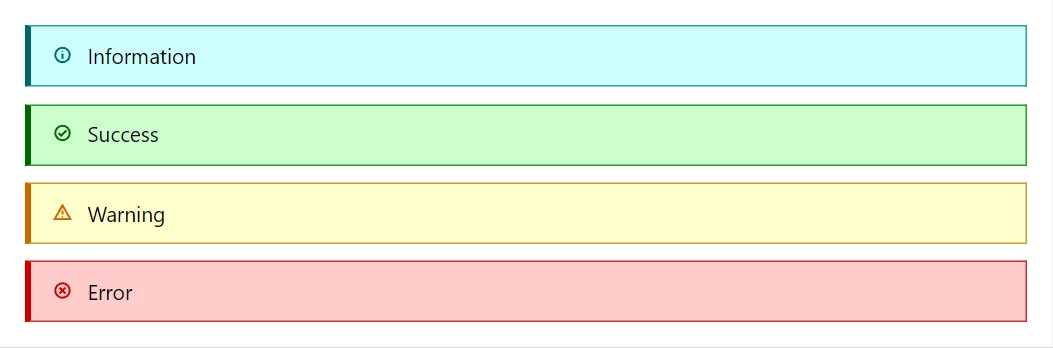
Example
<div class="doc-stack" style="max-width:none">
    <Alert Severity="Severity.Info">Information</Alert>
    <Alert Severity="Severity.Success">Success</Alert>
    <Alert Severity="Severity.Warning">Warning</Alert>
    <Alert Severity="Severity.Error">Error</Alert>
</div>
A short fragment. Add @using RayCraft.Blazor.Components to your page and use an interactive render mode.
Included in RayCraft Free. Working examples are in the GitHub repository (MIT); it holds example and demo code, not the library code.