



Show a whole team in a small space. Overlapping avatars collapse into a +n badge once more than your limit are shown.
Why it helps
- Overlapping avatars
- +n for the rest
- Hints with names
Where it fits
- Projects
- Teams
- Shared items
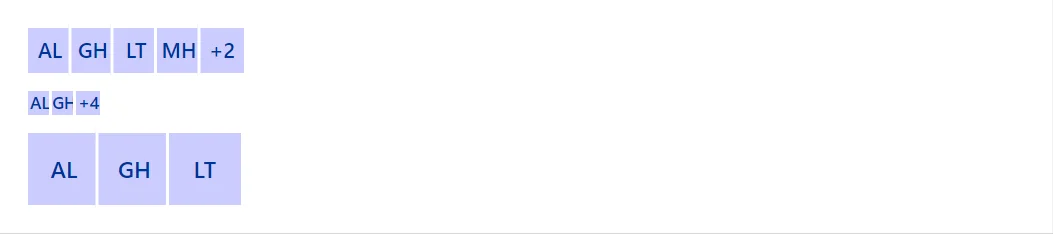
Example
<Stack Direction="StackDirection.Column" Align="flex-start">
    <AvatarGroup Items="_people" Label="Project members" />
    <AvatarGroup Items="_people" Max="2" Size="Size.Small" Label="Project members (short)" />
    <AvatarGroup Items="_people.Take(3)" Size="Size.Large" Label="Three members" />
</Stack>

@code {
    private readonly AvatarItem[] _people =
    [
        new("Ada Lovelace"), new("Grace Hopper"), new("Linus Torvalds"), new("Margaret Hamilton"), new("Alan Turing"), new("Barbara Liskov")
    ];
}
A short fragment. Add @using RayCraft.Blazor.Components to your page and use an interactive render mode.
Included in RayCraft Free. Working examples are in the GitHub repository (MIT); it holds example and demo code, not the library code.