



Present highlights as slides with previous and next buttons and indicators; autoplay is optional and users can pause it.
Why it helps
- Previous and next
- Optional autoplay
- Pause control
Where it fits
- Promotions
- Product images
- Announcements
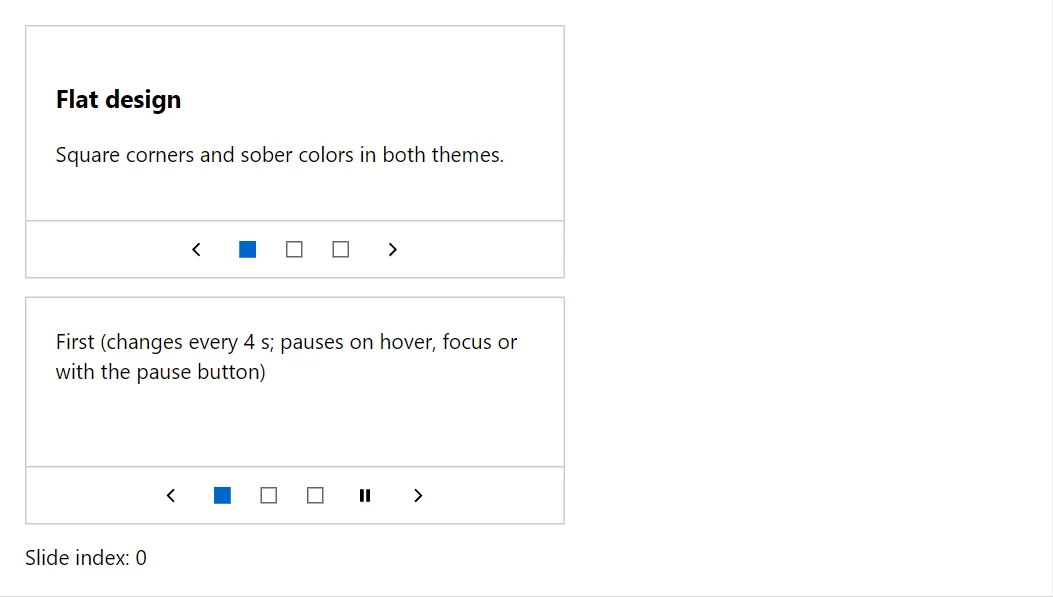
Example
<Carousel Label="Highlights" @bind-ActiveIndex="_index">
    <CarouselSlide><h3>Flat design</h3><p>Square corners and sober colors in both themes.</p></CarouselSlide>
    <CarouselSlide><h3>Accessible</h3><p>Keyboard support and WCAG contrast.</p></CarouselSlide>
    <CarouselSlide><h3>Localized</h3><p>English and Bulgarian built in.</p></CarouselSlide>
</Carousel>
<Carousel Label="Auto-advancing" AutoplayInterval="4000">
    <CarouselSlide>First (changes every 4 s; pauses on hover, focus or with the pause button)</CarouselSlide>
    <CarouselSlide>Second</CarouselSlide>
    <CarouselSlide>Third</CarouselSlide>
</Carousel>
<span>Slide index: @_index</span>

@code {
    private int _index;
}
A short fragment. Add @using RayCraft.Blazor.Components to your page and use an interactive render mode.
Included in RayCraft Free. Working examples are in the GitHub repository (MIT); it holds example and demo code, not the library code.