



Choose several items from a list, clearly grouped in a fieldset with a legend so screen readers announce what the options belong to.
Why it helps
- Several choices as one group
- Accessible grouping
- Individual items can be disabled
Where it fits
- Interests and preferences
- Permissions
- Filters
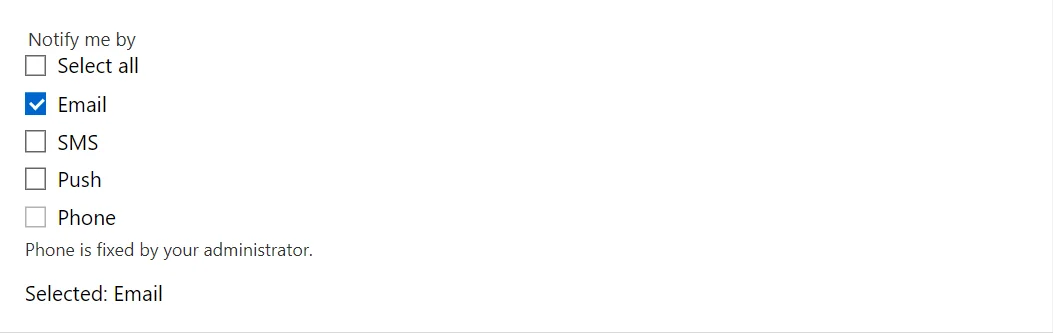
Example
<CheckboxGroup TValue="string" Label="Notify me by" Items="_channels" @bind-Values="_selected" ShowSelectAll="true" ItemDisabled="@(channel => channel == "Phone")" HelperText="Phone is fixed by your administrator." />
<span>Selected: @(_selected.Count == 0 ? "none" : string.Join(", ", _selected))</span>

@code {
    private readonly string[] _channels = { "Email", "SMS", "Push", "Phone" };
    private IReadOnlyCollection<string> _selected = new[] { "Email" };
}
A short fragment. Add @using RayCraft.Blazor.Components to your page and use an interactive render mode.
Included in RayCraft Free. Working examples are in the GitHub repository (MIT); it holds example and demo code, not the library code.