



Count down to a launch, a deadline or an offer, and run your code when the time is reached.
Why it helps
- Counts down
- Event when finished
- Simple
Where it fits
- Launches
- Offers
- Deadlines
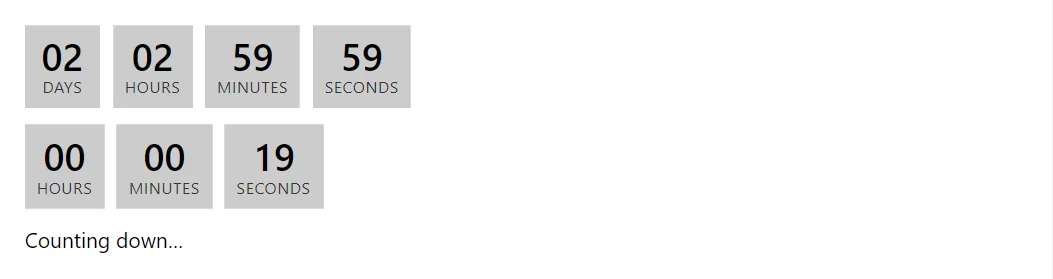
Example
<Countdown Target="_target" Label="Time until the event" OnFinished="@(() => _finished = true)" />
<Countdown Target="_soon" ShowDays="false" Label="Short countdown" OnFinished="@(() => _finished = true)" />
<span>@(_finished ? "A countdown finished." : "Counting down…")</span>

@code {
    private readonly DateTimeOffset _target = DateTimeOffset.Now.AddDays(2).AddHours(3);
    private readonly DateTimeOffset _soon = DateTimeOffset.Now.AddSeconds(20);
    private bool _finished;
}
A short fragment. Add @using RayCraft.Blazor.Components to your page and use an interactive render mode.
Included in RayCraft Free. Working examples are in the GitHub repository (MIT); it holds example and demo code, not the library code.