



A date field with a calendar. Month and weekday names, the first day of the week and the date format follow the current language, so your users see dates the way they write them.
Why it helps
- Follows the user's language
- Typed or picked dates
- Errors shown even without a form
Where it fits
- Birth dates and deadlines
- Order forms
- Reports
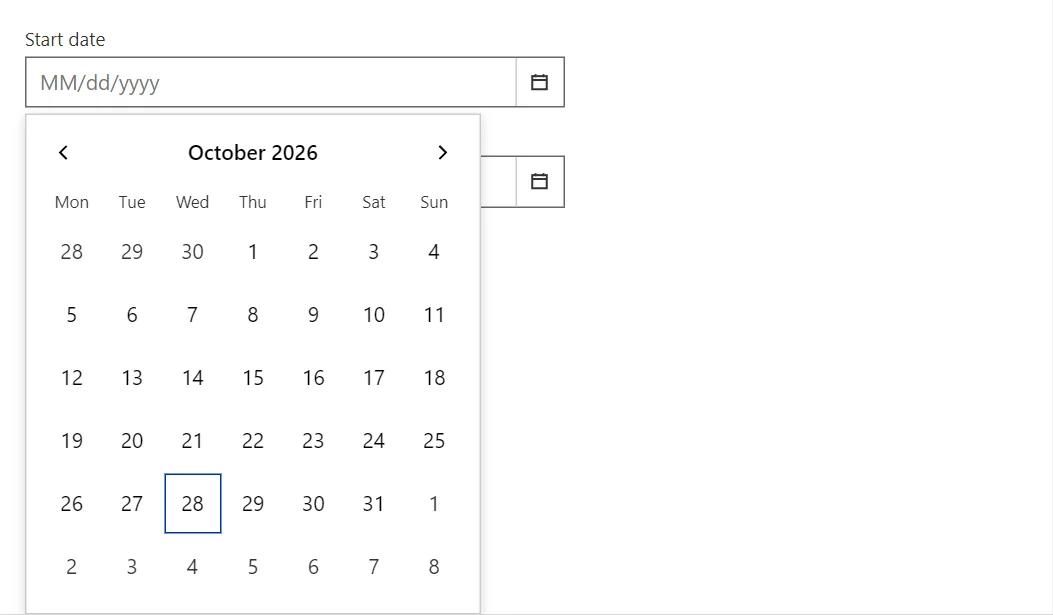
Example
<DatePicker @bind-Value="_date" Label="Start date" />
<DatePicker @bind-Value="_limited" Label="Within this month" MinDate="_first" MaxDate="_last" />
<span>Selected: @(_date?.ToLongDateString() ?? "none")</span>

@code {
    private DateTime? _date;
    private DateTime? _limited;
    private readonly DateTime _first = new(DateTime.Today.Year, DateTime.Today.Month, 1);
    private DateTime _last => _first.AddMonths(1).AddDays(-1);
}
A short fragment. Add @using RayCraft.Blazor.Components to your page and use an interactive render mode.
Included in RayCraft Free. Working examples are in the GitHub repository (MIT); it holds example and demo code, not the library code.