



Mark every occurrence of a search text inside a string, ignoring case unless you ask otherwise.
Why it helps
- Marks matches
- Case option
- Simple
Where it fits
- Search results
- Lists
- Documentation
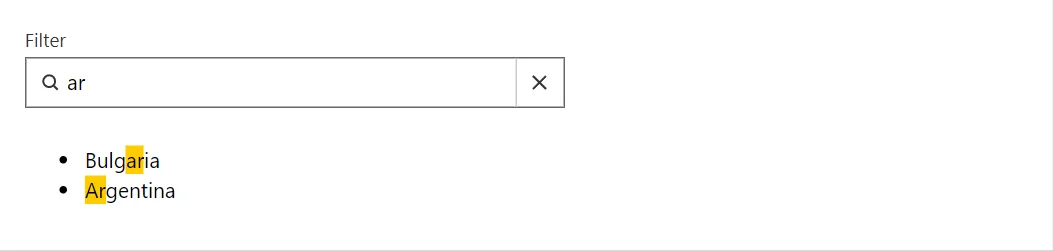
Example
<SearchBox @bind-Value="_query" Label="Filter" Placeholder="Try 'ar'" SearchOnInput="true" OnSearch="@(_ => { })" />
<ul>
    @foreach (var country in _countries.Where(c => string.IsNullOrEmpty(_query) || c.Contains(_query, StringComparison.OrdinalIgnoreCase)))
    {
        <li><Highlighter Text="@country" Query="@_query" /></li>
    }
</ul>

@code {
    private string? _query = "ar";
    private readonly string[] _countries = ["Bulgaria", "Argentina", "Germany", "Norway", "Portugal", "Canada", "Spain"];
}
A short fragment. Add @using RayCraft.Blazor.Components to your page and use an interactive render mode.
Included in RayCraft Free. Working examples are in the GitHub repository (MIT); it holds example and demo code, not the library code.