



When all the options should stay in view, ListBox shows them as an always-visible list for one choice or several.
Why it helps
- Everything visible at once
- One or many choices
- Simple and fast to scan
Where it fits
- Short option lists
- Selection side panels
- Settings pages
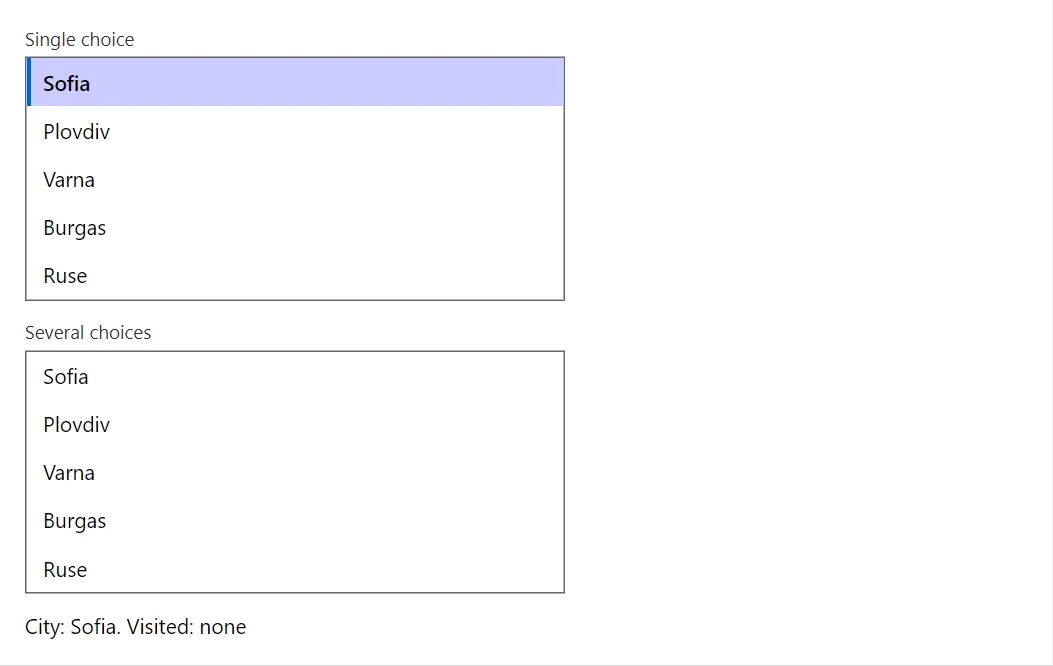
Example
<ListBox TValue="string" Label="Single choice" Items="_cities" @bind-Value="_city" />
<ListBox TValue="string" Label="Several choices" Items="_cities" Multiple="true" @bind-Values="_visited" />
<span>City: @_city. Visited: @(_visited.Count == 0 ? "none" : string.Join(", ", _visited))</span>

@code {
    private readonly string[] _cities = ["Sofia", "Plovdiv", "Varna", "Burgas", "Ruse"];
    private string? _city = "Sofia";
    private IReadOnlyCollection<string> _visited = new List<string>();
}
A short fragment. Add @using RayCraft.Blazor.Components to your page and use an interactive render mode.
Included in RayCraft Free. Working examples are in the GitHub repository (MIT); it holds example and demo code, not the library code.