



A ready sign-in form with friendly validation. It gives you the entered values and leaves the actual authentication to you.
Why it helps
- Ready to use
- Localized validation
- You control authentication
Where it fits
- Application sign-in
- Admin areas
- Portals
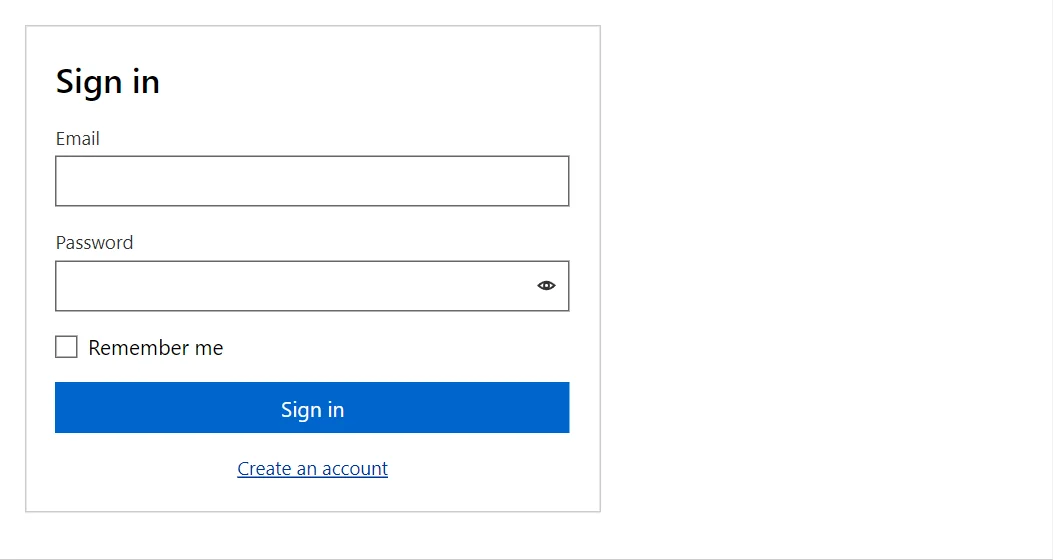
Example
<LoginForm OnSubmit="OnSubmit" ErrorMessage="@_error" Busy="_busy">
    <Footer><Link Href="components/registerform">Create an account</Link></Footer>
</LoginForm>
<p>@_result</p>

@code {
    private string? _error;
    private string _result = "";
    private bool _busy;

    private async Task OnSubmit(LoginModel model)
    {
        _busy = true;
        await Task.Delay(500);
        _busy = false;
        _error = model.Password == "secret" ? null : "Wrong user name or password. Try the password \"secret\".";
        _result = _error is null ? $"Signed in as {model.UserName}" : "";
    }
}
A short fragment. Add @using RayCraft.Blazor.Components to your page and use an interactive render mode.
Included in RayCraft Free. Working examples are in the GitHub repository (MIT); it holds example and demo code, not the library code.