



Display Markdown text beautifully, with headings, lists, quotes, code and tables, and safe handling of links and HTML.
Why it helps
- Rich content from plain text
- Safe by default
- Table of contents option
Where it fits
- Help pages
- Notes
- Release notes
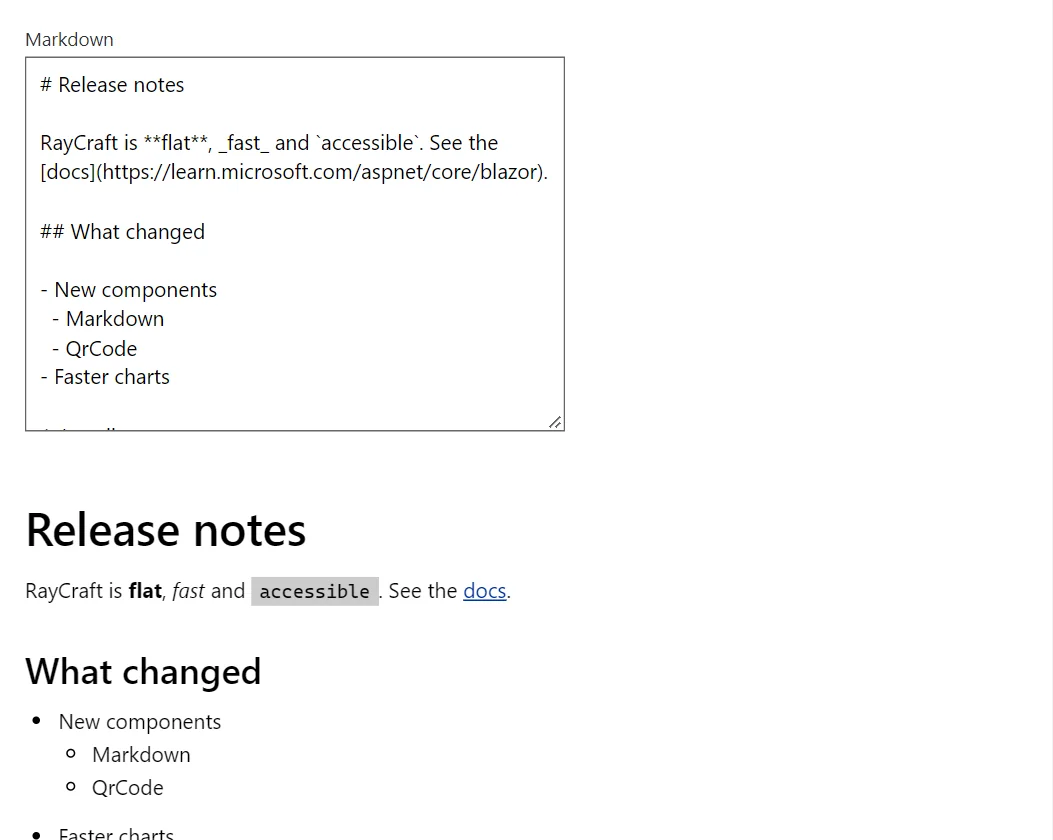
Example
<Markdown Source="@_source" ShowToc="true" IdPrefix="guide-" />

@code {
    private const string _source = """
        # User guide

        ## Install

        Download the package and follow the steps below.

        ## Configure

        ### Settings

        | Name | Default | Notes |
        | :--- | :---: | ---: |
        | Language | en | text |
        | Retries | 3 | number |

        ### Links

        Jump to [Install](#guide-install) or read the [documentation](https://learn.microsoft.com/aspnet/core/blazor) (opens in a new tab).
        """;
}
A short fragment. Add @using RayCraft.Blazor.Components to your page and use an interactive render mode.
Included in RayCraft Free. Working examples are in the GitHub repository (MIT); it holds example and demo code, not the library code.