



Phone numbers, codes and IDs are easier to type when the field guides you. MaskedInput formats what the user types by a mask, with ready presets for common cases.
Why it helps
- Guided typing by a mask
- Ready presets
- Fewer formatting mistakes
Where it fits
- Phone and postal codes
- Product or licence keys
- Identification numbers
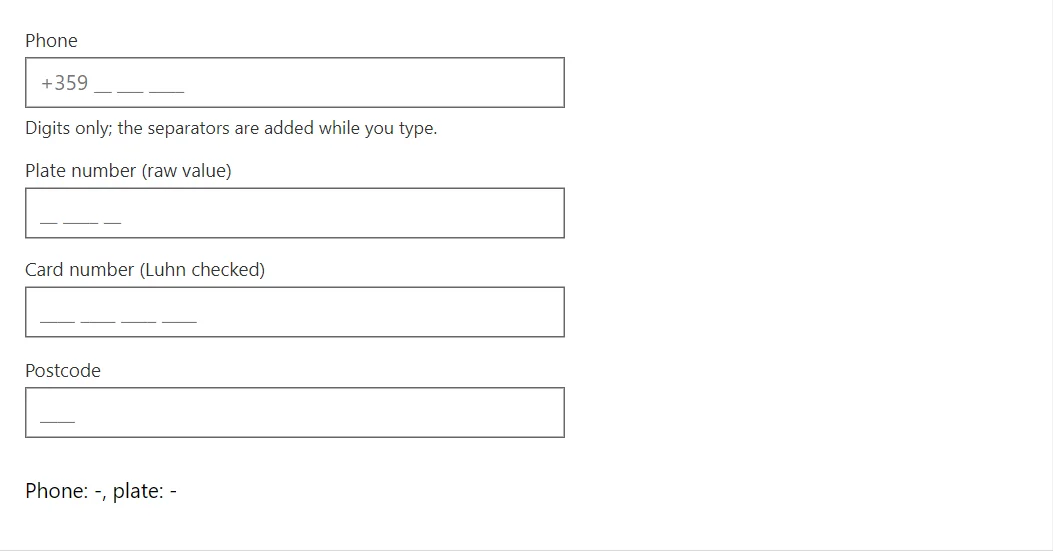
Example
<MaskedInput @bind-Value="_phone" Label="Phone" Mask="+359 00 000 0000" HelperText="Digits only; the separators are added while you type." />
<MaskedInput @bind-Value="_plate" Label="Plate number (raw value)" Mask="aa 0000 aa" ReturnRaw="true" />
<MaskedInput @bind-Value="_card" Label="Card number (Luhn checked)" Preset="MaskPreset.CreditCard" />
<MaskedInput @bind-Value="_postcode" Label="Postcode" Mask="0000" Pattern="^[1-9]" PatternMessage="A postcode does not start with 0." />
<p>Phone: @(_phone ?? "-"), plate: @(_plate ?? "-")</p>

@code {
    private string? _phone;
    private string? _plate;
    private string? _card;
    private string? _postcode;
}
A short fragment. Add @using RayCraft.Blazor.Components to your page and use an interactive render mode.
Included in RayCraft Free. Working examples are in the GitHub repository (MIT); it holds example and demo code, not the library code.