



Help people choose a better password instead of just rejecting a weak one. PasswordStrength shows four bars, a word and the list of rules the password already meets.
Why it helps
- Clear strength feedback
- Shows which rules are met
- Works next to any password field
Where it fits
- Registration forms
- Password change pages
- Admin user creation
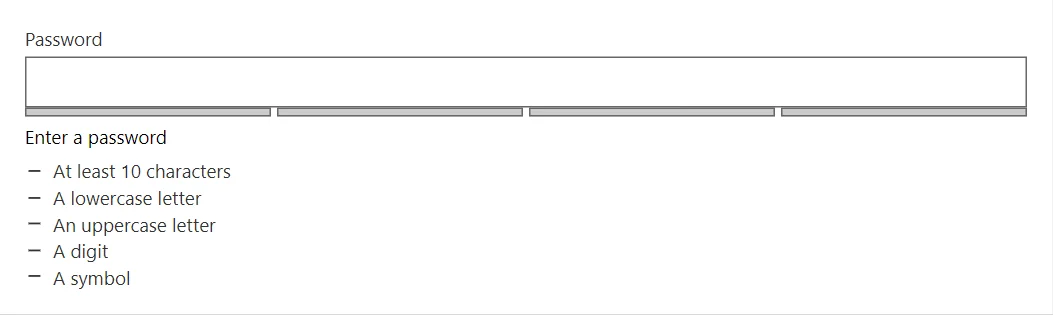
Example
<TextField @bind-Value="_password" Label="Password" Type="password" />
<PasswordStrength Password="@_password" MinLength="10" />

@code {
    private string? _password;
}
A short fragment. Add @using RayCraft.Blazor.Components to your page and use an interactive render mode.
Included in RayCraft Free. Working examples are in the GitHub repository (MIT); it holds example and demo code, not the library code.