



Select an interval of a data series with two handles, with a small preview of the data behind them.
Why it helps
- Interval selection with preview
- Two handles
- Great beside charts
Where it fits
- Zooming a chart
- Choosing a period
- Trimming a series
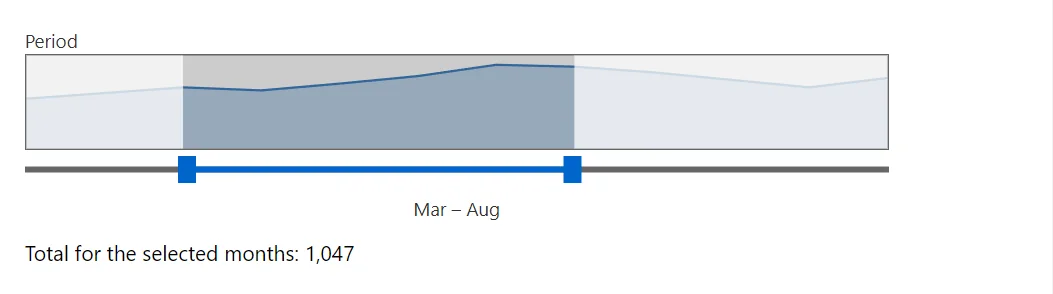
Example
<div class="doc-stack" style="max-width:36rem">
    <RangeSelector Label="Period" Values="_values" Categories="_months" @bind-Low="_low" @bind-High="_high" />
    <span>Total for the selected months: @Total.ToString("N0")</span>
</div>

@code {
    private readonly double[] _values = [120, 135, 150, 142, 160, 180, 210, 205, 190, 170, 150, 175];
    private readonly string[] _months = ["Jan", "Feb", "Mar", "Apr", "May", "Jun", "Jul", "Aug", "Sep", "Oct", "Nov", "Dec"];
    private double _low = 2;
    private double _high = 7;

    private double Total => _values.Skip((int)_low).Take((int)_high - (int)_low + 1).Sum();
}
A short fragment. Add @using RayCraft.Blazor.Components to your page and use an interactive render mode.
Included in RayCraft Free. Working examples are in the GitHub repository (MIT); it holds example and demo code, not the library code.