



Show a list of items with your own template, and get a header, an empty message and more that a plain loop lacks.
Why it helps
- Your own template
- Header and empty state
- Simple
Where it fits
- Cards
- Product lists
- Feeds
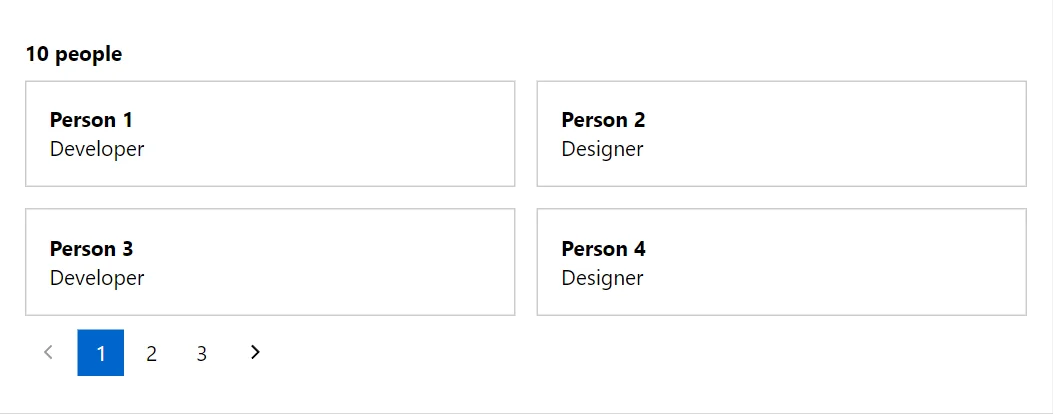
Example
<Repeater Items="_people" PageSize="4" Columns="2">
    <HeaderContent><strong>@_people.Count people</strong></HeaderContent>
    <ItemTemplate Context="person">
        <Card><strong>@person.Name</strong><br />@person.Role</Card>
    </ItemTemplate>
    <EmptyContent>Nobody here yet.</EmptyContent>
</Repeater>

@code {
    private sealed record Person(string Name, string Role);

    private readonly List<Person> _people = Enumerable.Range(1, 10).Select(i => new Person($"Person {i}", i % 2 == 0 ? "Designer" : "Developer")).ToList();
}
A short fragment. Add @using RayCraft.Blazor.Components to your page and use an interactive render mode.
Included in RayCraft Free. Working examples are in the GitHub repository (MIT); it holds example and demo code, not the library code.