



A search field that looks and behaves the way people expect: an icon, a clear button, and your own search action when they press Enter.
Why it helps
- Icon and clear button built in
- Search on Enter, clear or while typing
- Fits headers and toolbars
Where it fits
- Site and table search
- Filters on lists
- Command and help search
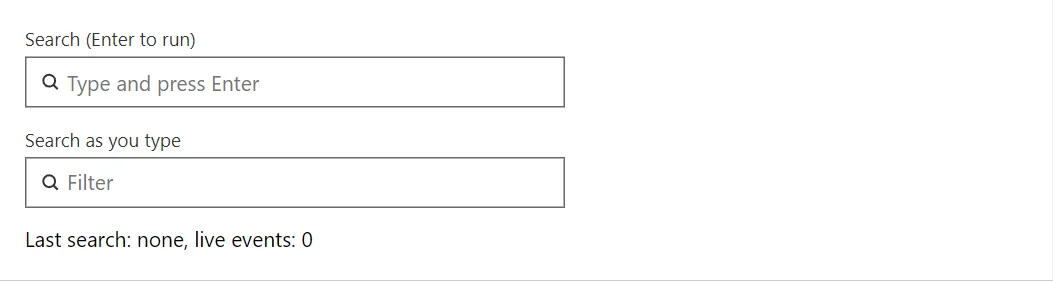
Example
<SearchBox @bind-Value="_query" Label="Search (Enter to run)" Placeholder="Type and press Enter" OnSearch="OnSearch" />
<SearchBox @bind-Value="_live" Label="Search as you type" Placeholder="Filter" SearchOnInput="true" OnSearch="@(q => _hits++)" />
<span>Last search: @(_last ?? "none"), live events: @_hits</span>

@code {
    private string? _query;
    private string? _live;
    private string? _last;
    private int _hits;

    private void OnSearch(string? query) => _last = query;
}
A short fragment. Add @using RayCraft.Blazor.Components to your page and use an interactive render mode.
Included in RayCraft Free. Working examples are in the GitHub repository (MIT); it holds example and demo code, not the library code.