



A big number with a label and an optional trend, built for dashboards, with room for extra content like a sparkline.
Why it helps
- Large figure
- Trend indication
- Extra content
Where it fits
- Dashboards
- Summaries
- Cards
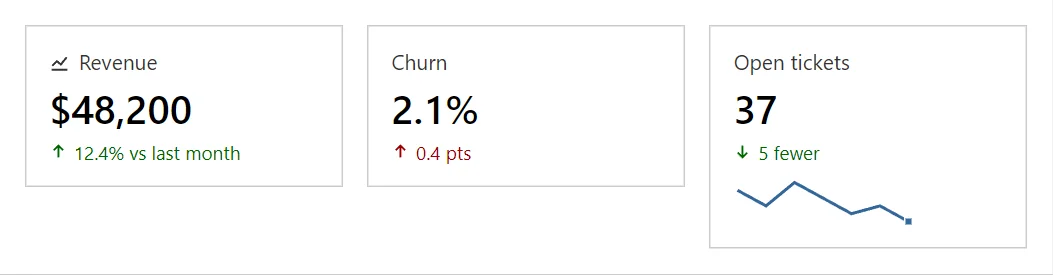
Example
<Grid>
    <GridItem Span="12" Md="4"><Statistic Label="Revenue" Value="$48,200" Delta="12.4% vs last month" Trend="StatTrend.Up" Icon="IconName.ChartLine" /></GridItem>
    <GridItem Span="12" Md="4"><Statistic Label="Churn" Value="2.1%" Delta="0.4 pts" Trend="StatTrend.Up" LowerIsBetter="true" /></GridItem>
    <GridItem Span="12" Md="4"><Statistic Label="Open tickets" Value="37" Delta="5 fewer" Trend="StatTrend.Down" LowerIsBetter="true"><Sparkline Values="@(new double[] { 8, 6, 9, 7, 5, 6, 4 })" /></Statistic></GridItem>
</Grid>
A short fragment. Add @using RayCraft.Blazor.Components to your page and use an interactive render mode.
Included in RayCraft Free. Working examples are in the GitHub repository (MIT); it holds example and demo code, not the library code.