



Guide users through a sequence of steps with Back and Next buttons, with validation per step if you want it.
Why it helps
- Step validation
- Back and Next
- Clear progress
Where it fits
- Onboarding
- Checkout
- Multi-step forms
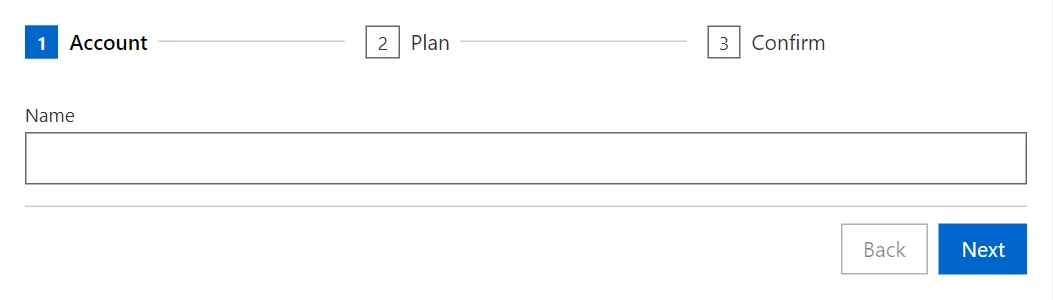
Example
<Stepper @bind-ActiveIndex="_step" OnFinish="@(() => _done = true)">
    <StepperStep Title="Account"><TextField @bind-Value="_name" Label="Name" /></StepperStep>
    <StepperStep Title="Plan"><Select @bind-Value="_plan" Items="_plans" Label="Plan" /></StepperStep>
    <StepperStep Title="Confirm">Ready to create the account for @_name on the @_plan plan.</StepperStep>
</Stepper>
@if (_done)
{
    <Alert Severity="Severity.Success">Finished!</Alert>
}

@code {
    private int _step;
    private bool _done;
    private string? _name;
    private string _plan = "Free";
    private readonly string[] _plans = ["Free", "Team", "Enterprise"];
}
A short fragment. Add @using RayCraft.Blazor.Components to your page and use an interactive render mode.
Included in RayCraft Free. Working examples are in the GitHub repository (MIT); it holds example and demo code, not the library code.