



Words in sizes that follow their weight. Tags can be links, buttons that select, or plain text.
Why it helps
- Size by weight
- Links or buttons
- Quick overview
Where it fits
- Topics
- Keywords
- Popular searches
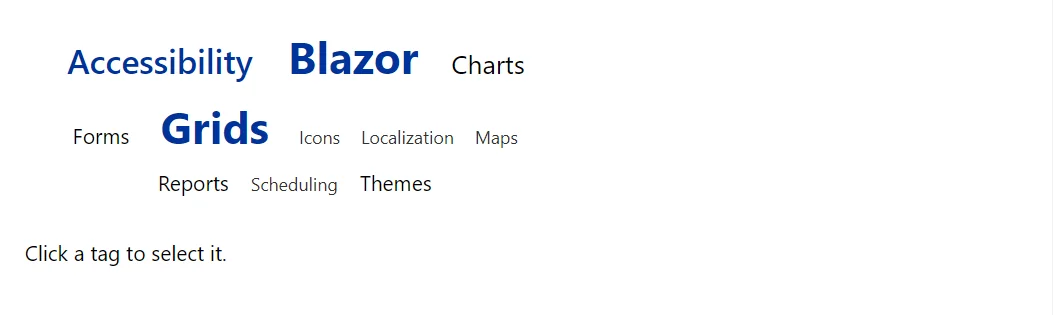
Example
<TagCloud Label="Topics" Tags="_tags" Selected="_picked" OnTagClick="Pick" />
<p>@(_picked.Count == 0 ? "Click a tag to select it." : "Selected: " + string.Join(", ", _picked))</p>

@code {
    private readonly List<string> _picked = new();

    private readonly TagCloudItem[] _tags =
    {
        new("Blazor", 42), new("Accessibility", 31), new("Charts", 25), new("Forms", 18), new("Themes", 14),
        new("Localization", 11), new("Grids", 36), new("Scheduling", 9), new("Maps", 6), new("Reports", 12), new("Icons", 4)
    };

    private void Pick(TagCloudItem tag)
    {
        if (!_picked.Remove(tag.Text)) _picked.Add(tag.Text);
    }
}
A short fragment. Add @using RayCraft.Blazor.Components to your page and use an interactive render mode.
Included in RayCraft Free. Working examples are in the GitHub repository (MIT); it holds example and demo code, not the library code.