



A start and an end time in a single field, each written in the format of the current language.
Why it helps
- Start and end together
- Language-aware
- One compact field
Where it fits
- Shifts
- Opening hours
- Meeting slots
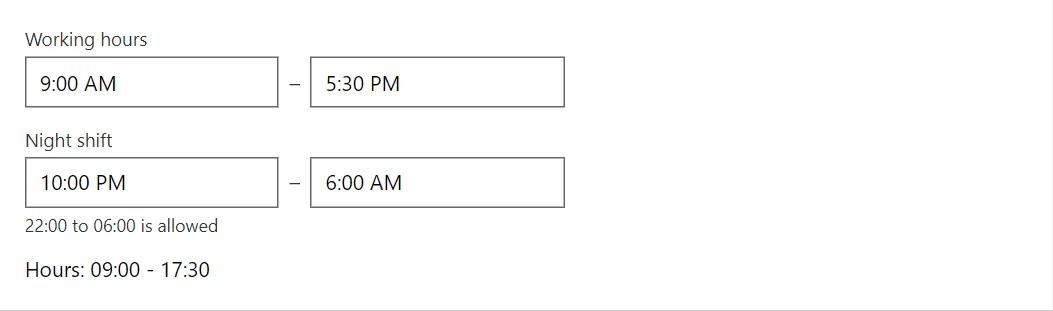
Example
<TimeRangePicker @bind-Value="_hours" Label="Working hours" />
<TimeRangePicker @bind-Value="_shift" Label="Night shift" AllowOvernight HelperText="22:00 to 06:00 is allowed" />
<span>Hours: @Show(_hours)</span>

@code {
    private TimeRange _hours = new(new TimeSpan(9, 0, 0), new TimeSpan(17, 30, 0));
    private TimeRange _shift = new(new TimeSpan(22, 0, 0), new TimeSpan(6, 0, 0));

    private static string Show(TimeRange range) => $"{range.Start:hh\\:mm} - {range.End:hh\\:mm}";
}
A short fragment. Add @using RayCraft.Blazor.Components to your page and use an interactive render mode.
Included in RayCraft Free. Working examples are in the GitHub repository (MIT); it holds example and demo code, not the library code.