



Enter a duration as days, hours, minutes and seconds. The value is a TimeSpan your code can use directly.
Why it helps
- Duration as a TimeSpan
- Days to seconds
- Simple entry
Where it fits
- Estimates
- Timeouts
- Work logs
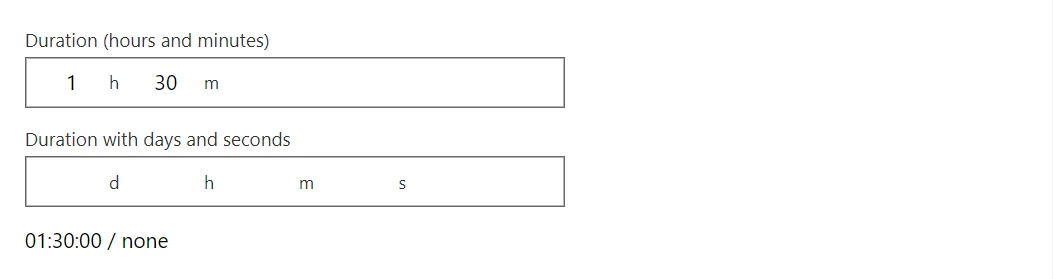
Example
<TimeSpanPicker @bind-Value="_duration" Label="Duration (hours and minutes)" />
<TimeSpanPicker @bind-Value="_long" Label="Duration with days and seconds" ShowDays="true" ShowSeconds="true" />
<span>@(_duration?.ToString() ?? "none") / @(_long?.ToString() ?? "none")</span>

@code {
    private TimeSpan? _duration = TimeSpan.FromMinutes(90);
    private TimeSpan? _long;
}
A short fragment. Add @using RayCraft.Blazor.Components to your page and use an interactive render mode.
Included in RayCraft Free. Working examples are in the GitHub repository (MIT); it holds example and demo code, not the library code.