



A segmented control for one choice or several. Use it for view switchers and other mutually exclusive options.
Why it helps
- One or many choices
- Compact and familiar
- Accessible roles
Where it fits
- List or grid view
- Text alignment
- Time ranges
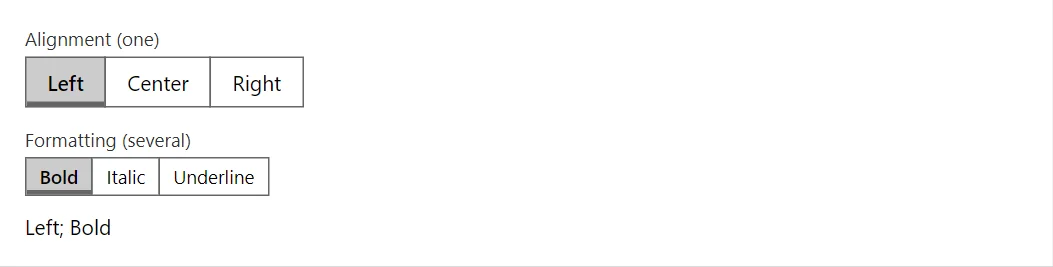
Example
<ToggleGroup TValue="string" Label="Alignment (one)" Items="_alignments" @bind-Value="_alignment" />
<ToggleGroup TValue="string" Label="Formatting (several)" Items="_styles" Multiple="true" @bind-Values="_selected" Size="Size.Small" />
<span>@_alignment; @string.Join(", ", _selected)</span>

@code {
    private readonly string[] _alignments = ["Left", "Center", "Right"];
    private readonly string[] _styles = ["Bold", "Italic", "Underline"];
    private string _alignment = "Left";
    private IReadOnlyCollection<string> _selected = new List<string> { "Bold" };
}
A short fragment. Add @using RayCraft.Blazor.Components to your page and use an interactive render mode.
Included in RayCraft Free. Working examples are in the GitHub repository (MIT); it holds example and demo code, not the library code.