



Headings, body text, captions and overlines with the theme font and sizes. Headings render real heading tags, so your page keeps a proper structure.
Why it helps
- Consistent type scale
- Real headings
- Theme font
Where it fits
- Pages
- Articles
- Cards
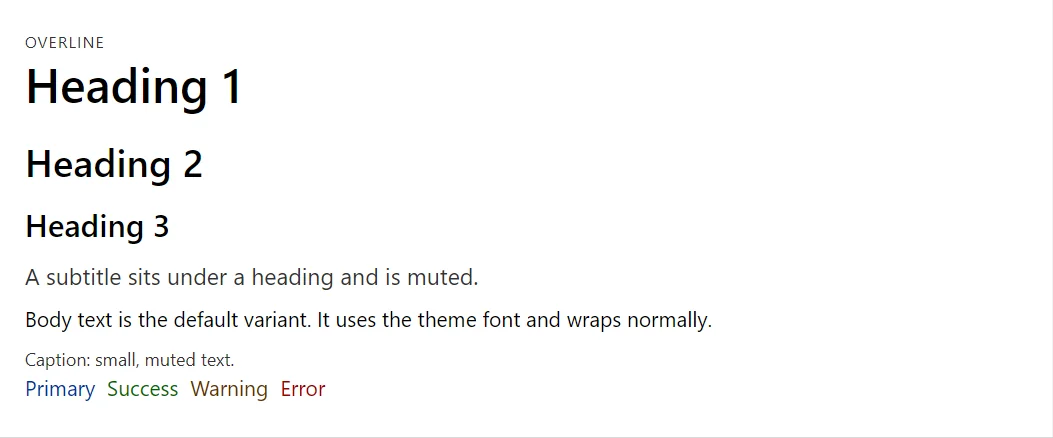
Example
<Typography Variant="TypographyVariant.Overline">Overline</Typography>
<Typography Variant="TypographyVariant.H1">Heading 1</Typography>
<Typography Variant="TypographyVariant.H2">Heading 2</Typography>
<Typography Variant="TypographyVariant.H3">Heading 3</Typography>
<Typography Variant="TypographyVariant.Subtitle">A subtitle sits under a heading and is muted.</Typography>
<Typography>Body text is the default variant. It uses the theme font and wraps normally.</Typography>
<Typography Variant="TypographyVariant.Caption">Caption: small, muted text.</Typography>
<Stack>
    <Typography Color="TypographyColor.Primary">Primary</Typography>
    <Typography Color="TypographyColor.Success">Success</Typography>
    <Typography Color="TypographyColor.Warning">Warning</Typography>
    <Typography Color="TypographyColor.Error">Error</Typography>
</Stack>
A short fragment. Add @using RayCraft.Blazor.Components to your page and use an interactive render mode.
Included in RayCraft Free. Working examples are in the GitHub repository (MIT); it holds example and demo code, not the library code.