



Choose a year from a grid of twelve years, with buttons for earlier and later pages.
Why it helps
- Quick year selection
- Paged grid
- Keyboard friendly
Where it fits
- Birth year
- Fiscal years
- Archives
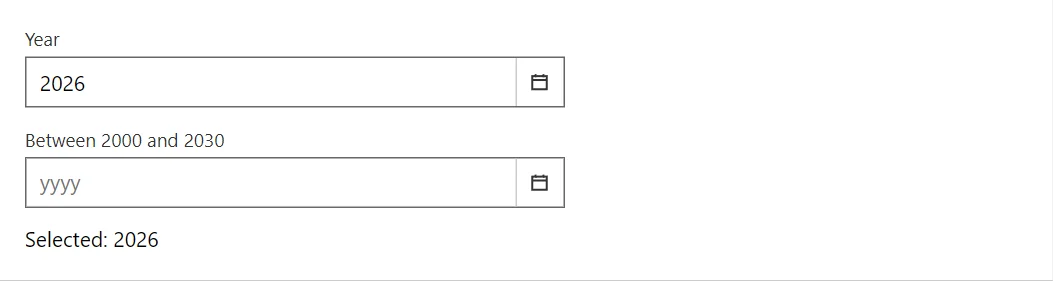
Example
<YearPicker @bind-Value="_year" Label="Year" />
<YearPicker @bind-Value="_limited" Label="Between 2000 and 2030" MinYear="2000" MaxYear="2030" />
<span>Selected: @(_year?.ToString() ?? "none")</span>

@code {
    private int? _year = DateTime.Today.Year;
    private int? _limited;
}
A short fragment. Add @using RayCraft.Blazor.Components to your page and use an interactive render mode.
Included in RayCraft Free. Working examples are in the GitHub repository (MIT); it holds example and demo code, not the library code.