



Überschriften, Fließtext, Bildunterschriften und Overlines mit Schrift und Größen des Themes. Überschriften rendern echte Überschrift-Tags, sodass Ihre Seite eine saubere Struktur behält.
Warum es hilft
- Einheitliche Schriftskala
- Echte Überschriften
- Schrift des Themes
Wo es passt
- Seiten
- Artikel
- Karten
Beispiel
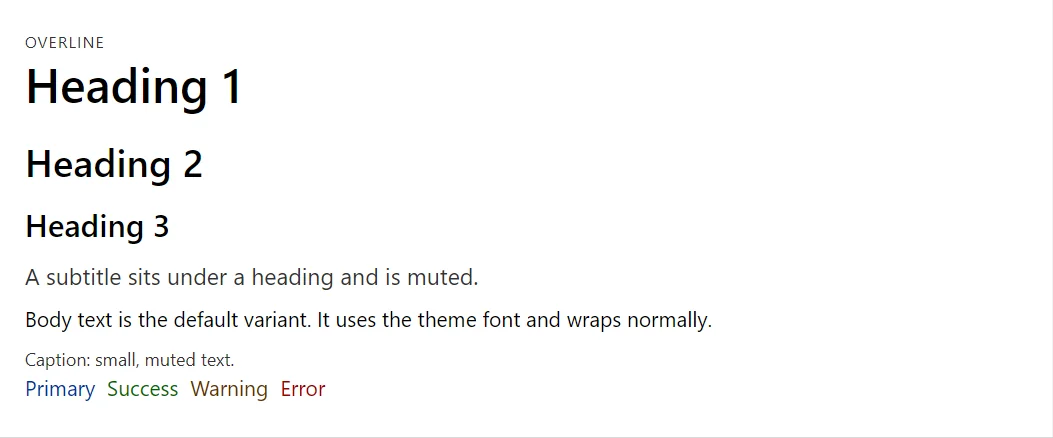
<Typography Variant="TypographyVariant.Overline">Overline</Typography>
<Typography Variant="TypographyVariant.H1">Heading 1</Typography>
<Typography Variant="TypographyVariant.H2">Heading 2</Typography>
<Typography Variant="TypographyVariant.H3">Heading 3</Typography>
<Typography Variant="TypographyVariant.Subtitle">A subtitle sits under a heading and is muted.</Typography>
<Typography>Body text is the default variant. It uses the theme font and wraps normally.</Typography>
<Typography Variant="TypographyVariant.Caption">Caption: small, muted text.</Typography>
<Stack>
    <Typography Color="TypographyColor.Primary">Primary</Typography>
    <Typography Color="TypographyColor.Success">Success</Typography>
    <Typography Color="TypographyColor.Warning">Warning</Typography>
    <Typography Color="TypographyColor.Error">Error</Typography>
</Stack>
Ein kurzes Fragment. Fügen Sie @using RayCraft.Blazor.Components zu Ihrer Seite hinzu und nutzen Sie einen interaktiven Render-Modus.
In RayCraft Free enthalten. Funktionierende Beispiele finden Sie im GitHub-Repository (MIT); es enthält Beispiel- und Democode, nicht den Code der Bibliothek.