



Titres, texte courant, légendes et surlignes avec la police et les tailles du thème. Les titres affichent de vraies balises de titre, pour que votre page garde une bonne structure.
Pourquoi c’est utile
- Échelle typographique cohérente
- De vrais titres
- Police du thème
Où il trouve sa place
- Pages
- Articles
- Cartes
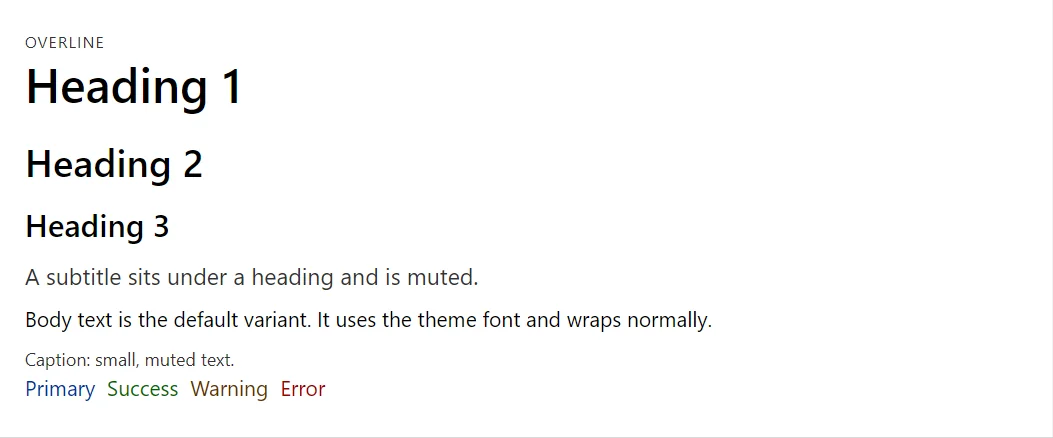
Exemple
<Typography Variant="TypographyVariant.Overline">Overline</Typography>
<Typography Variant="TypographyVariant.H1">Heading 1</Typography>
<Typography Variant="TypographyVariant.H2">Heading 2</Typography>
<Typography Variant="TypographyVariant.H3">Heading 3</Typography>
<Typography Variant="TypographyVariant.Subtitle">A subtitle sits under a heading and is muted.</Typography>
<Typography>Body text is the default variant. It uses the theme font and wraps normally.</Typography>
<Typography Variant="TypographyVariant.Caption">Caption: small, muted text.</Typography>
<Stack>
    <Typography Color="TypographyColor.Primary">Primary</Typography>
    <Typography Color="TypographyColor.Success">Success</Typography>
    <Typography Color="TypographyColor.Warning">Warning</Typography>
    <Typography Color="TypographyColor.Error">Error</Typography>
</Stack>
Un court fragment. Ajoutez @using RayCraft.Blazor.Components à votre page et utilisez un mode de rendu interactif.
Inclus dans RayCraft Free. Des exemples fonctionnels se trouvent dans le dépôt GitHub (MIT); il contient du code d’exemple et de démonstration, pas le code de la bibliothèque.