



Overskrifter, brødtekst, billedtekster og overlinjer med temaets skrifttype og størrelser. Overskrifter gengiver rigtige overskriftstags, så din side bevarer en ordentlig struktur.
Hvorfor det hjælper
- Konsistent skriftskala
- Rigtige overskrifter
- Temaets skrifttype
Hvor det passer
- Sider
- Artikler
- Kort
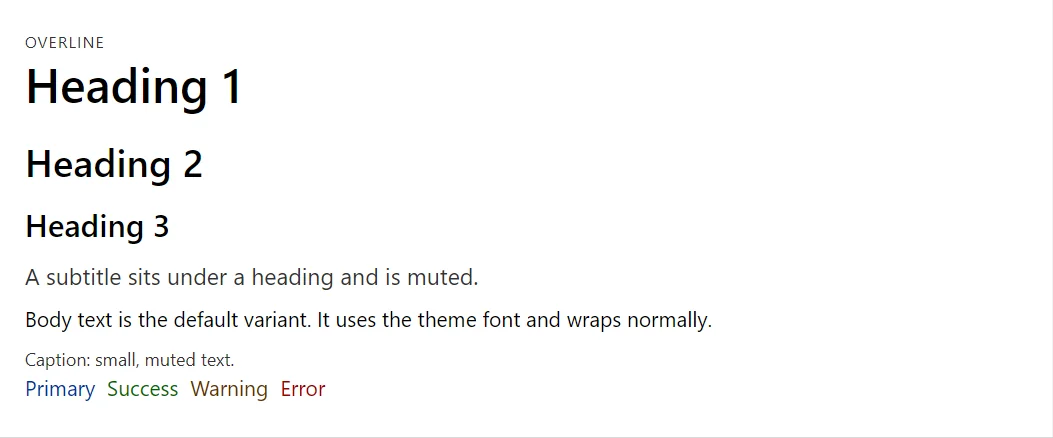
Eksempel
<Typography Variant="TypographyVariant.Overline">Overline</Typography>
<Typography Variant="TypographyVariant.H1">Heading 1</Typography>
<Typography Variant="TypographyVariant.H2">Heading 2</Typography>
<Typography Variant="TypographyVariant.H3">Heading 3</Typography>
<Typography Variant="TypographyVariant.Subtitle">A subtitle sits under a heading and is muted.</Typography>
<Typography>Body text is the default variant. It uses the theme font and wraps normally.</Typography>
<Typography Variant="TypographyVariant.Caption">Caption: small, muted text.</Typography>
<Stack>
    <Typography Color="TypographyColor.Primary">Primary</Typography>
    <Typography Color="TypographyColor.Success">Success</Typography>
    <Typography Color="TypographyColor.Warning">Warning</Typography>
    <Typography Color="TypographyColor.Error">Error</Typography>
</Stack>
Et kort uddrag. Tilføj @using RayCraft.Blazor.Components til din side, og brug en interaktiv gengivelsestilstand.
Inkluderet i RayCraft Free. Fungerende eksempler findes i GitHub-lager (MIT); det indeholder eksempel- og demokode, ikke bibliotekets kode.